How to Withdraw from MEXC to MetaMask: Network and Token Checks
Move a supported asset from your MEXC balance into a wallet you control. Check the receiving account, blockchain and token before withdrawing, then verify arrival independently of the wallet’s displayed balance.
The short answer
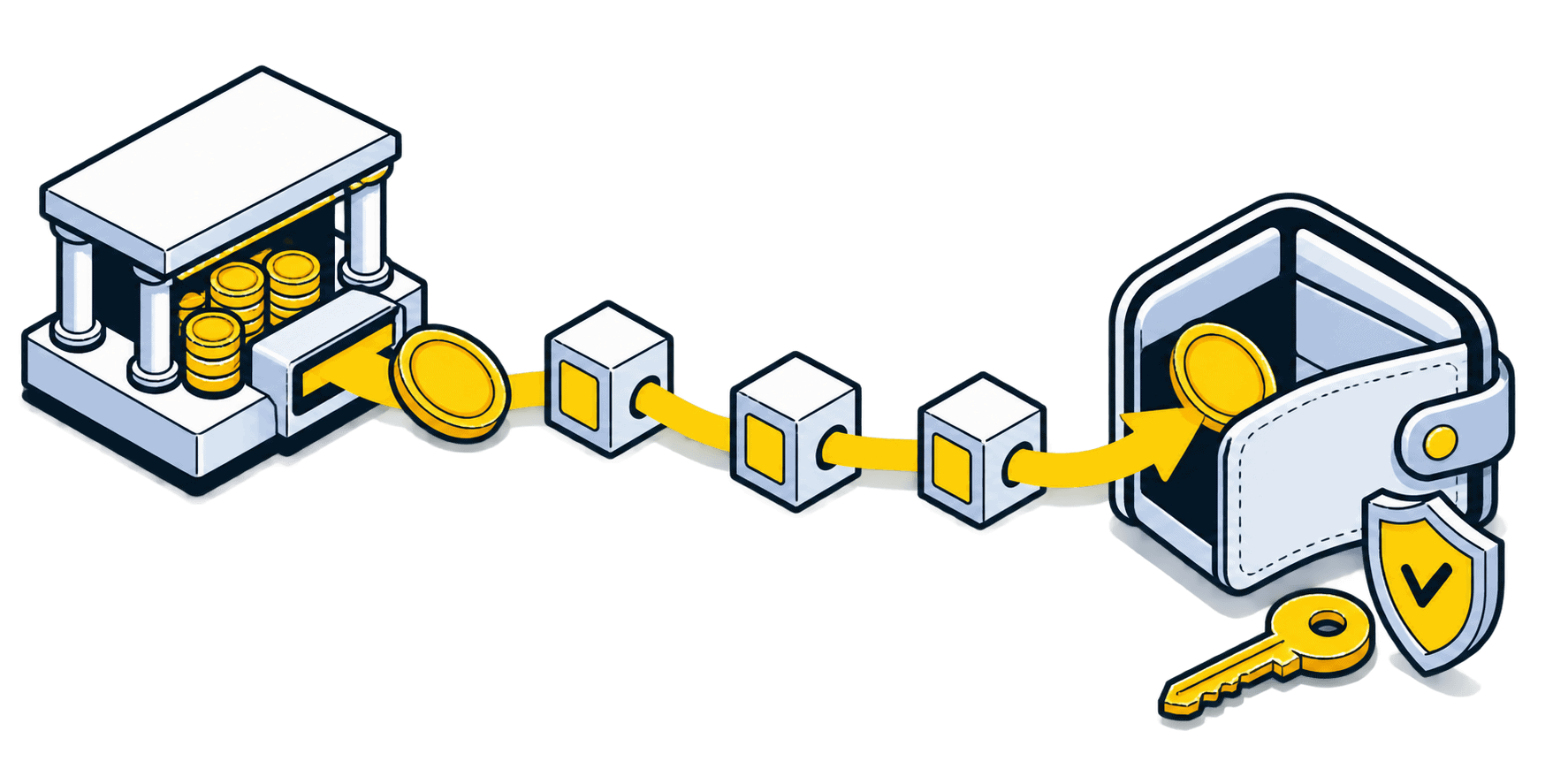
Copy the receiving address for the intended account and network in MetaMask, then use MEXC’s On-chain Withdrawal. Select a network supported by both your wallet setup and MEXC for that asset. An internal MEXC transfer by email, phone or UID is not a withdrawal to MetaMask.
Before you begin
Use the genuine app or a bookmarked official website. Confirm account eligibility and any identity checks before funding it. Interfaces, supported routes and charges can change; the final details shown in your own account take precedence.
Step-by-step walkthrough
Prepare the receiving wallet
Open the genuine MetaMask extension or app. Select the account and intended network, and copy its receiving address. Make sure you have securely backed up access to that wallet. You never need to enter its recovery phrase into MEXC.
Check the asset and network together
Find the asset in MEXC and examine its withdrawal networks. Verify that the exact asset version is usable on your chosen MetaMask network. Similar addresses across EVM networks do not move tokens between chains or prove compatibility.
Choose an on-chain withdrawal
In the MEXC app, use Wallets → Withdraw → asset → On-chain Withdrawal. On the web, open Withdraw in the wallet area and choose the asset. Paste the receiving address, select the matching network and enter the amount.
Review the net amount and confirm
Read the current fee, minimum and received amount. Compare the full destination against MetaMask again. If practical, test with an amount above the minimum and wait for confirmed arrival before sending more. Complete MEXC’s own security verification.
Verify arrival on-chain and in MetaMask
Open the withdrawal transaction ID in the correct explorer. Confirm the recipient and token transfer, then select that same account and network in MetaMask. If the token is not detected automatically, verify its contract before importing its display entry.
The same address can have different balances
Illustrative case: your address begins with 0x on both Ethereum and BNB Chain. You withdraw a supported token on BNB Chain, but MetaMask is displaying Ethereum. The Ethereum view may show zero even though the BNB Chain explorer confirms receipt. Switch to the actual receiving network; do not repeat the withdrawal or assume an automatic bridge occurred.
Receiving tokens and spending them are different
The exchange charges its withdrawal fee for sending. A later swap or outgoing wallet transfer is a separate transaction with its own gas requirements. Check the wallet’s current fee payment options for that network; do not assume that holding a stablecoin alone will cover every future transaction. Self-custody also transfers responsibility for backups and signing decisions to you.
If something does not match
MEXC still shows processing
Inspect the withdrawal record and any security restriction. Until a transaction is broadcast, the network explorer may have nothing to show.
Explorer confirms receipt, wallet shows zero
Check account, network and token contract. Importing a token changes its visibility; it does not retrieve funds from a different address or unsupported chain.
Someone asks for your recovery phrase
Stop. A support agent does not need that phrase to inspect a public transaction. Use the official support entry point and never sign an unexplained recovery transaction.
Check your understanding
You received a token on BNB Chain but want to use an Ethereum-only application. Does switching MetaMask’s network move the token?
Show the explanation
No. Switching networks changes the view. Moving value between chains requires a separate supported route with its own costs and risks; do not send the existing token to an incompatible application.
Common questions
Must I connect MetaMask to MEXC?
Not for this on-chain withdrawal. You provide a public receiving address and confirm in MEXC. You do not need to disclose a private key or connect to an unknown recovery website.
Can every token on MEXC be sent to MetaMask?
No. Check the asset’s actual withdrawal network and MetaMask’s current support for that network and account type. A listing on MEXC alone does not establish wallet compatibility.
Continue with the right next step
Practical exchange walkthroughs
Official sources and verification
Checked on 30 October 2026 against the official instructions below. Illustrations are conceptual, not platform screenshots. Worked numbers are examples, not live quotes. We did not execute a transfer or trade for this guide.
Educational information, not personal financial advice. Our reviews and buying guides may contain affiliate links. These do not change the transaction checks described here.